General Ledger
Anomaly Detection
Tool
01 OVERVIEW
A product that analyzes the Close day activities in real time. Prompts the users with anomalies as it happens. Includes features that prompts for missing entries, checks for duplicates, rule-based validations, and variance analysis.

02 ROLE
UX Designer
An in-house designer at Koch Industries, working across multiple domains with a strong focus on designing data analytics platforms.

Problem Discovery
- Manual & Time-Consuming Process
- Performance Limitations with Large Data
- Lack of Confidence in Insights
- No Structured Workflow for Assignment
- Limited Collaboration & Communication
- Fragmented Data Sources
- Absence of Automated Detection Modules
- Inefficient Variance Analysis
- High Cognitive Load on Users
03 DEFINE
User Insights
What I discovered from research data and first hand users stories
Users are using PowerBI and excel platform for finding Anomalies which is very basic and is very slow when it comes to data loading. And users are not confident enough as they are manually checking the Anomalies and is difficult to add a comment or assign to a team member to investigate the Anomaly. We also identified the set of modules to be added in the Application as Missing Entry, Duplicate Entry, Close Validation, Variance Analysis by doing a Contextual Enquiry
Users struggle to assign and track anomalies, especially supervisors who lack a structured way to distribute tasks to their teams.
Users rely on manual extraction of data from ERP to Excel, making the process repetitive, time-consuming, and inefficient.
The current tools (Excel, Power BI) fail to handle large datasets smoothly, causing system lags and interruptions in workflow.
Users have low confidence in anomaly detection, as the process depends heavily on manual validation and human judgment.
Controllers face difficulty in analyzing variances effectively, due to lack of dedicated tools and clear visual insights.
The anomaly review process is extremely time-intensive (up to 2 weeks), impacting planning and delaying critical decisions before financial close.
Supervisors lack real-time notifications and alerts, leading to dependency on manual follow-ups with team members.
There is a clear need for automation to improve speed, accuracy, and reliability in anomaly detection and management.
Users expect a system that enables easy commenting, collaboration, and assignment to streamline investigation workflows.
Insights highlight the opportunity to introduce automated modules like Missing Entry, Duplicate Entry, Close Validation, and Variance Analysis.
Overall, users are seeking a centralized, intelligent system that reduces manual effort and increases trust in data-driven decisions.
User Persona
Based on user research insights, we developed 3 personas that represent our key users and highlight their primary needs and pain points.

Raul
US, 40 Age
Finance Supervisor
Raul is a seasoned finance supervisor with over 8 years of experience in financial reporting and analysis. He manages a small team and is responsible for ensuring smooth and accurate month-end close processes while reporting to the Director of Finance.
Pain Points
-
✕Lack of visibility and control in assigning and tracking anomalies within the team
-
✕Frequent application errors and performance lag during critical workflows
-
✕Heavy reliance on manual data extraction and reconciliation processes
-
✕Inflexible system configurations that do not adapt to workflow needs
-
✕Poor integration between ERP, Excel, and reporting tools
-
✕Limited training and support, leading to inefficiencies in tool usage
Goals & Needs
-
✓Streamline the month-end close process to reduce manual effort and time
-
✓Enable faster and more accurate anomaly detection and resolution
-
✓Improve team productivity through better task assignment and tracking

Nysa
US, 48 Age
Finance Controller
Nysa is a fintech leader working as a Controller, proficient in finance tools and dashboards. She specialises in analysing financial data and sharing insights with leadership to drive strategic decisions.
Pain Points
-
✕Difficulty navigating large volumes of data without clear, actionable summaries
-
✕Limited time to analyse complex datasets, requiring faster insights
-
✕Lack of real-time data availability for effective variance analysis
-
✕Over-reliance on manual exploration of data to identify trends
-
✕Inefficient tools for quickly understanding the "why" behind financial numbers
Goals & Needs
-
✓Access real-time insights to identify trends and variances quickly
-
✓Monitor overall financial health with clear dashboards
-
✓Improve accuracy and efficiency in financial forecasting

Thomson
Bengaluru, 32 Age
GL Accountant
Thomson is a detail-oriented GL Accountant experienced in financial reporting, auditing, and account closing processes. He ensures accuracy in financial data while managing high workloads during closing cycles.
Pain Points
-
✕Struggles with heavy workload during month-end close
-
✕Many processes are manual and could be automated
-
✕Difficulty prioritising tasks effectively
-
✕Overloaded during closing periods, impacting work-life balance
-
✕Limited support in managing and organising multiple tasks
Goals & Needs
-
✓Expedite work and reduce manual effort
-
✓Enable better task prioritisation and workflow management
-
✓Improve efficiency during closing cycles
-
✓Ensure high accuracy in financial reporting
-
✓Achieve better work-life balance, especially during peak periods
-
✓Automate repetitive processes to save time
04 IDEATION
Observing existing solutions
Before I start brainstorming ideas, I took a look at the existing platforms they have and also the challenges they face. Also took a note on the good to have features.
Brainstorming and the solution
Considering the pain points of our personas, I generated several potential ideas and settled on the solution of creating a usable product which helps every user types.
Solution
Missing Entry Feature
Allows users to view entries that have a probability of being missed
Based on predefined logic and rules
Filter Feature
Users can filter entries based on COCD and other parameters
Improves data navigation and usability
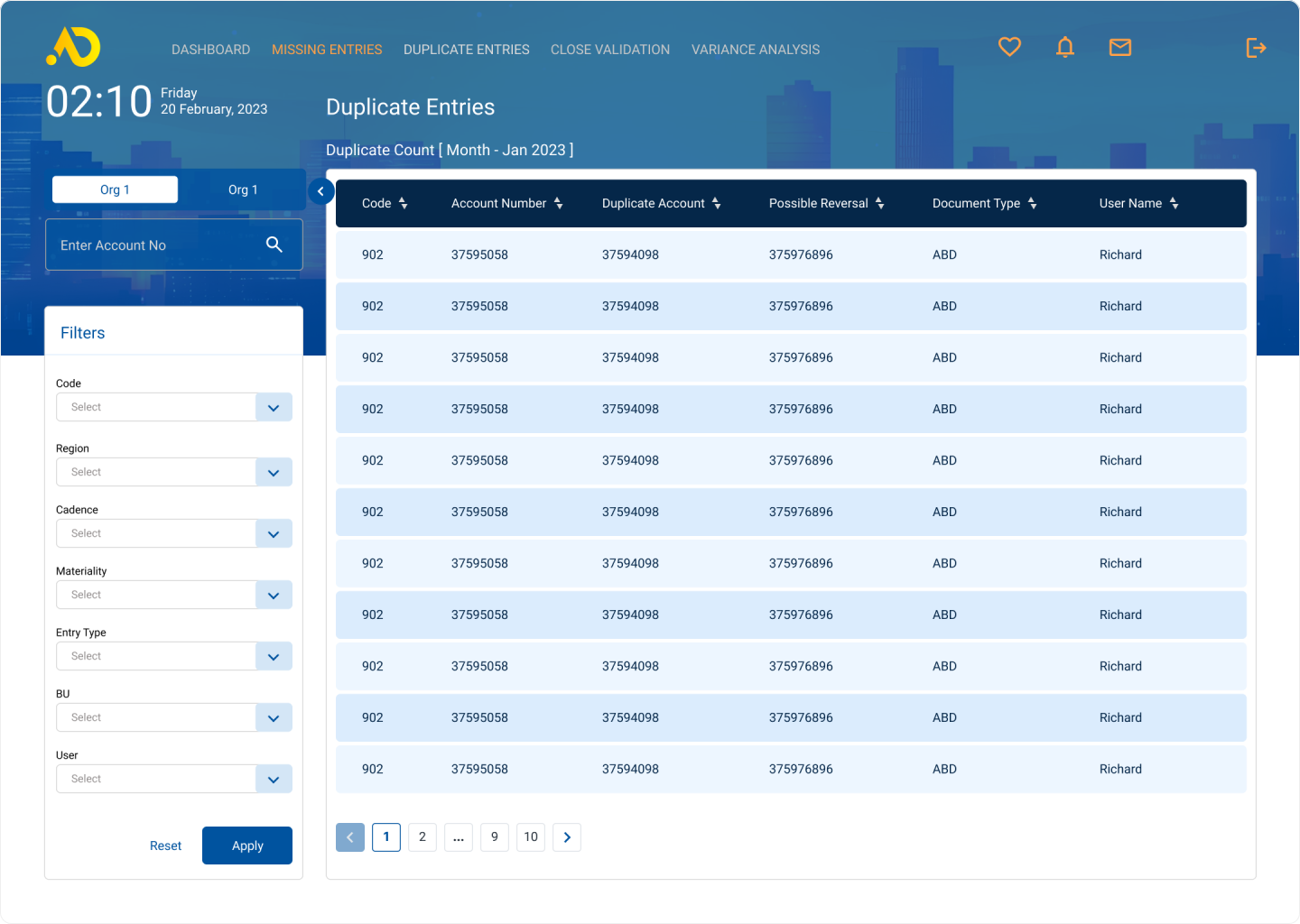
Duplicate Entry Feature
Displays duplicate entries identified in SAP
Data is fetched and shown directly in the application
Email Notification Feature
Users receive notifications when:
- Tagged in comments
- Assigned to tasks
Ensures timely updates and action
Close Validation Feature
Applies rule-based validation on specific accounts
Highlights accounts that violate defined rules
Export to CSV Feature
Allows exporting tables and reports
Useful for offline analysis and sharing
Comment Feature
Enables users to add comments on line items
Supports collaboration and discussion
Account Hierarchy Feature
Displays multiple accounts related to COCD or GL Account
Provides better data relationship visibility
Assign Task Feature
Allows users to assign entries/tasks to team members
Helps in tracking anomaly resolution ownership
SSO Login Feature
Enables easy and secure login
Reduces friction in user access
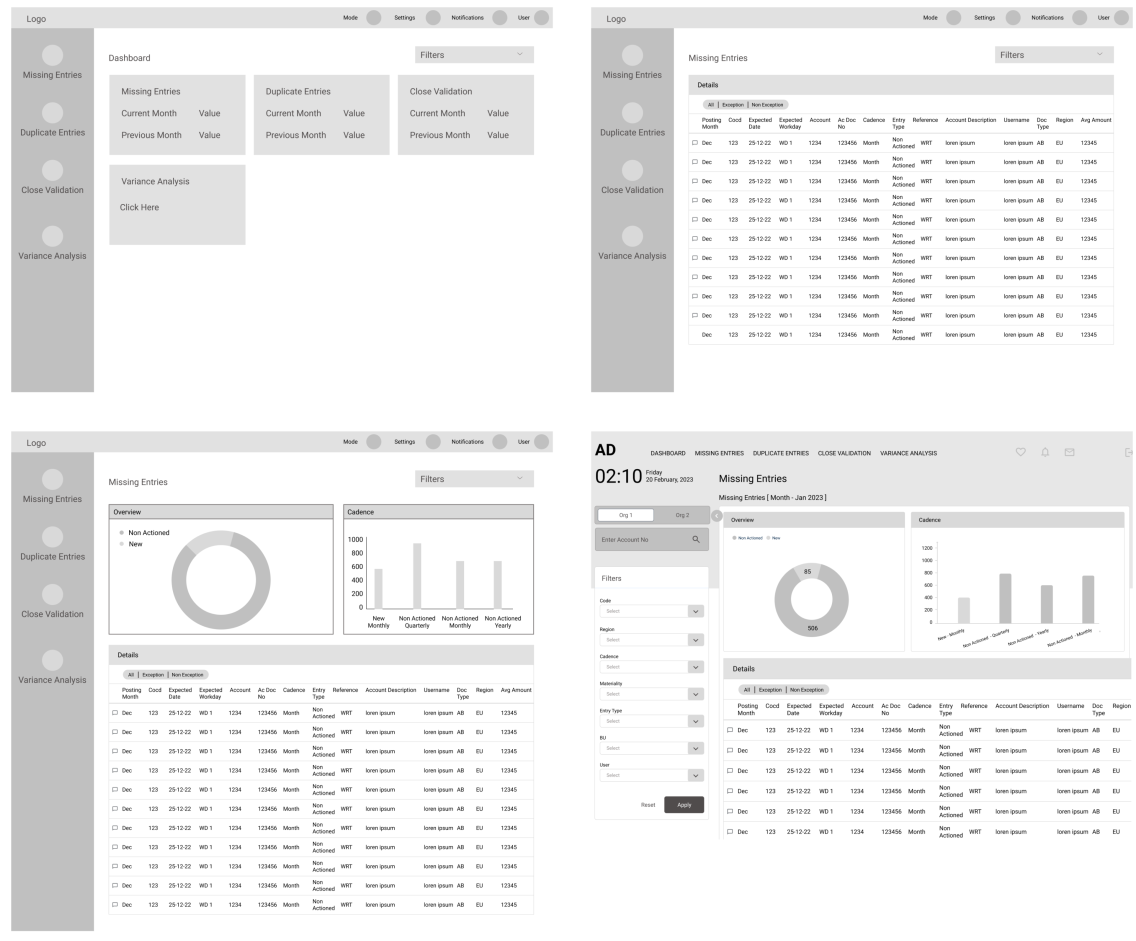
Start shaping
The user experience revolves around the primary task flow of viewing the data for identified Primary Features. I ve created slight variations of the screens and I m inviting users feedback on them.
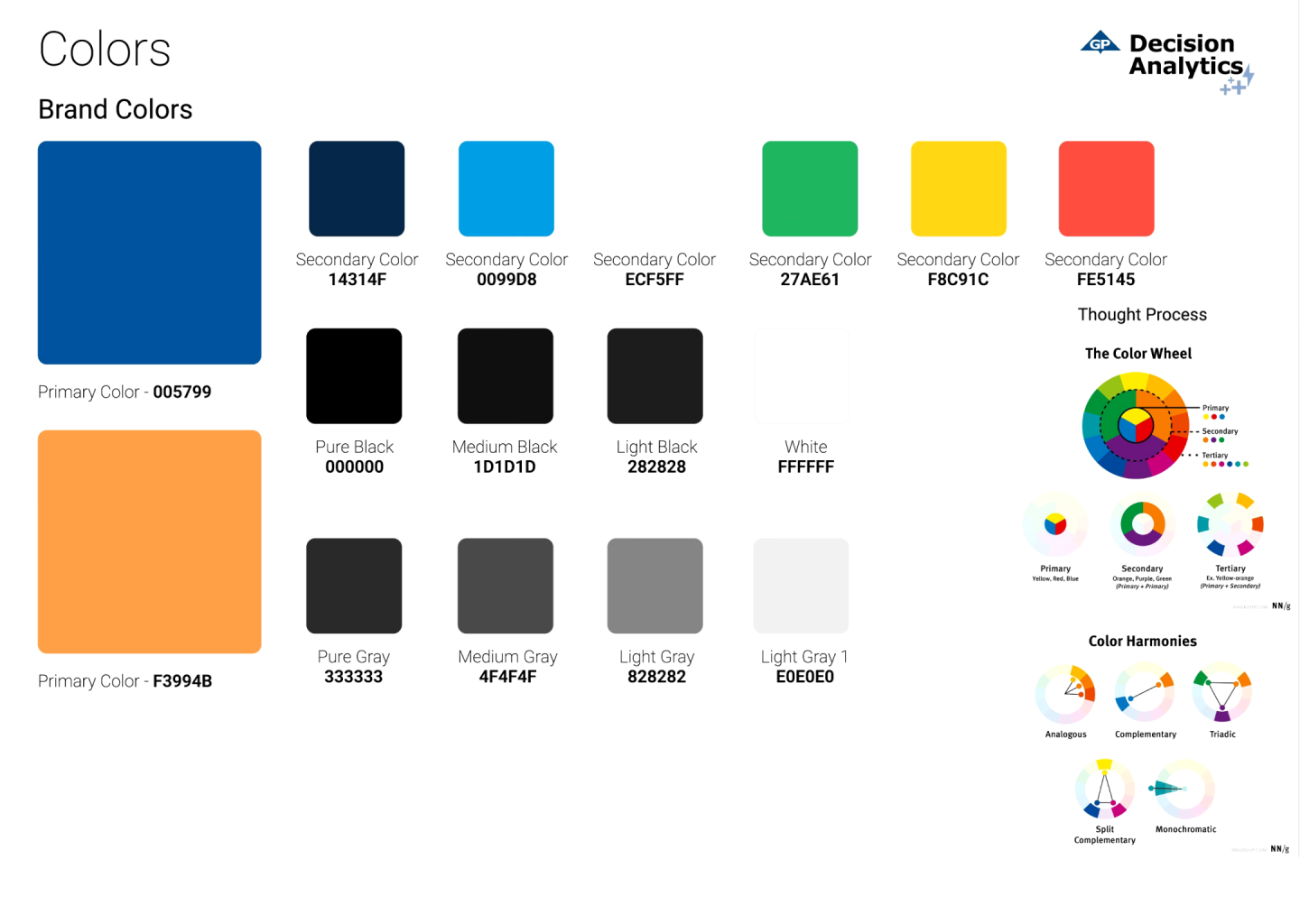
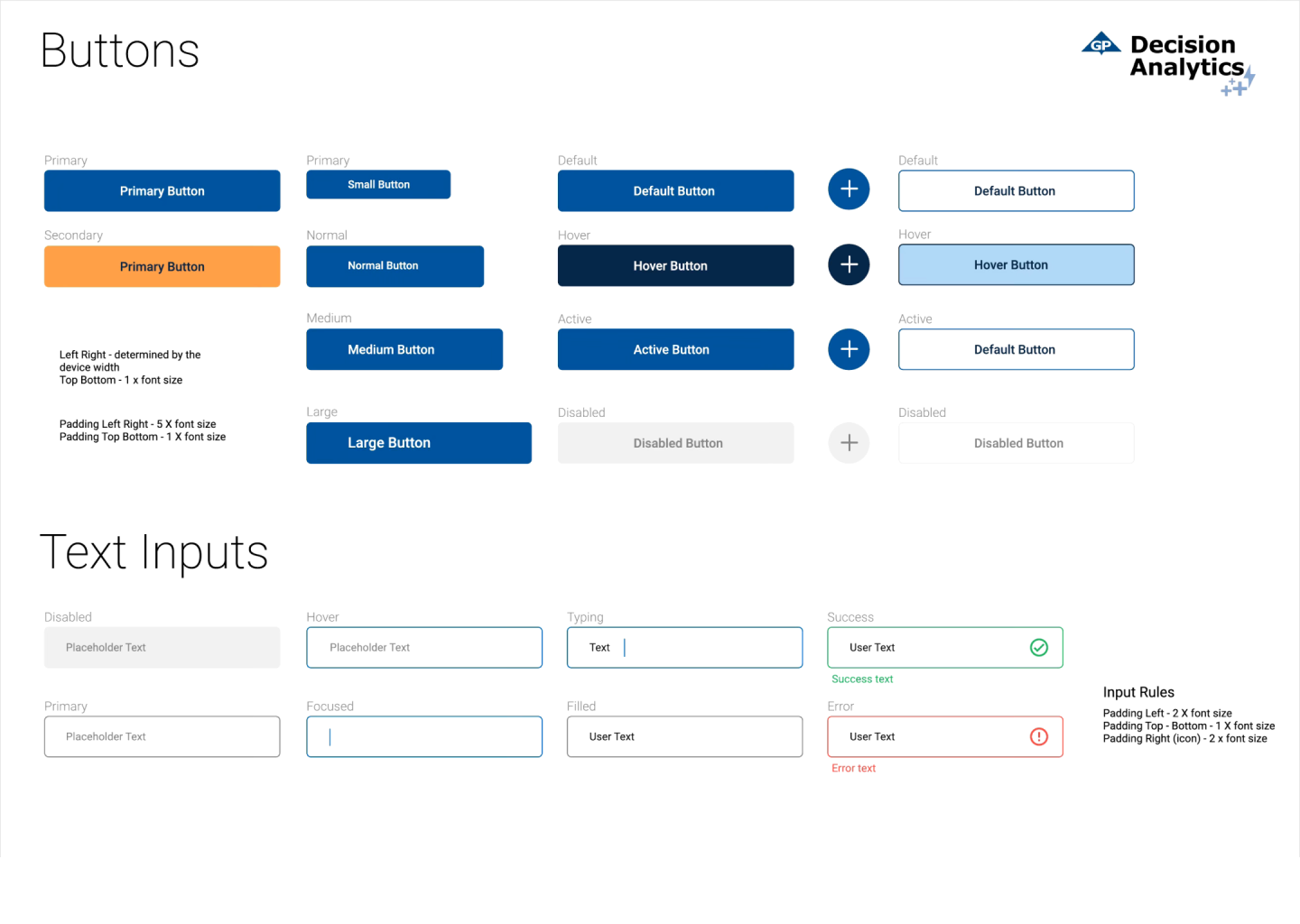
Style Guide
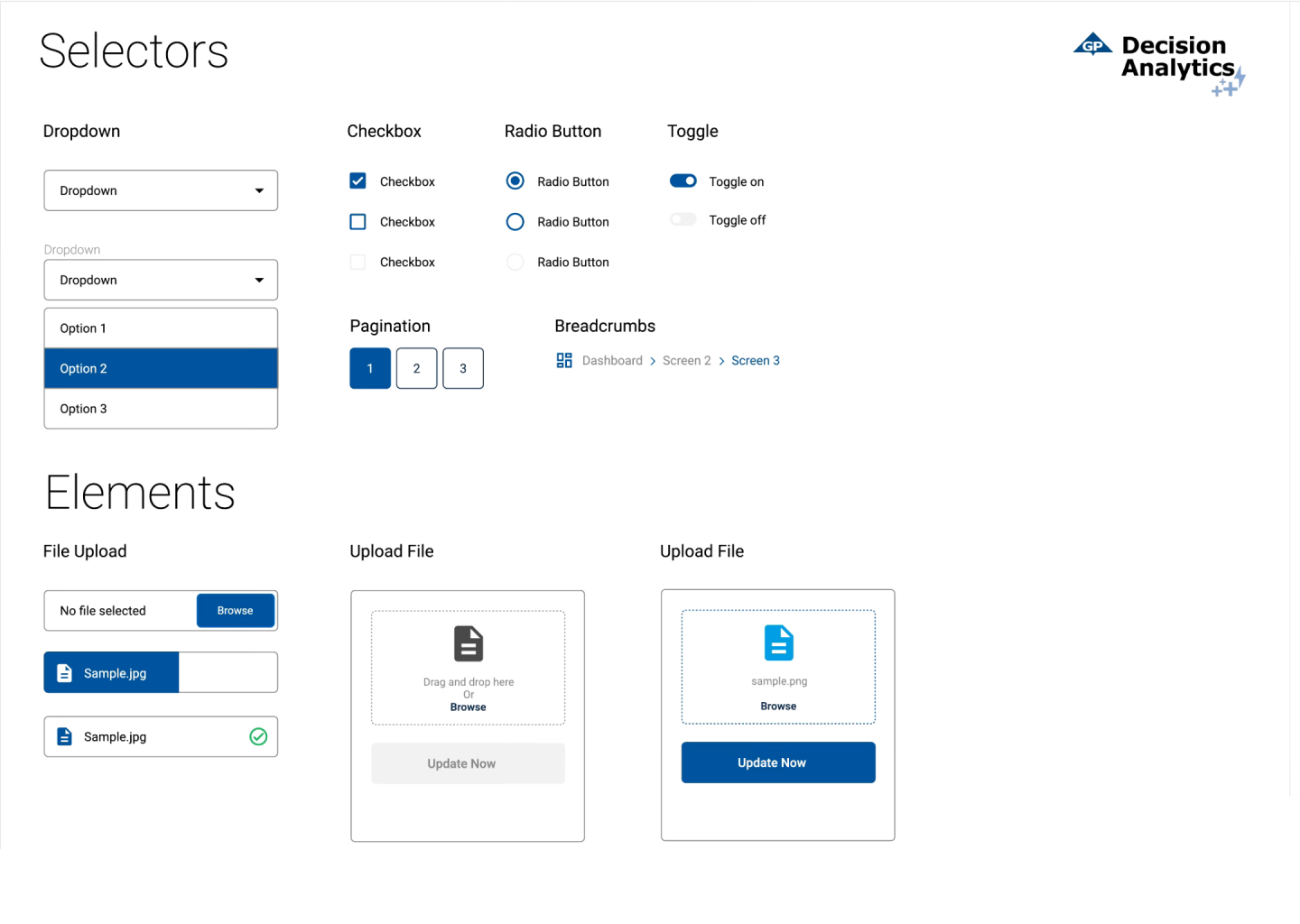
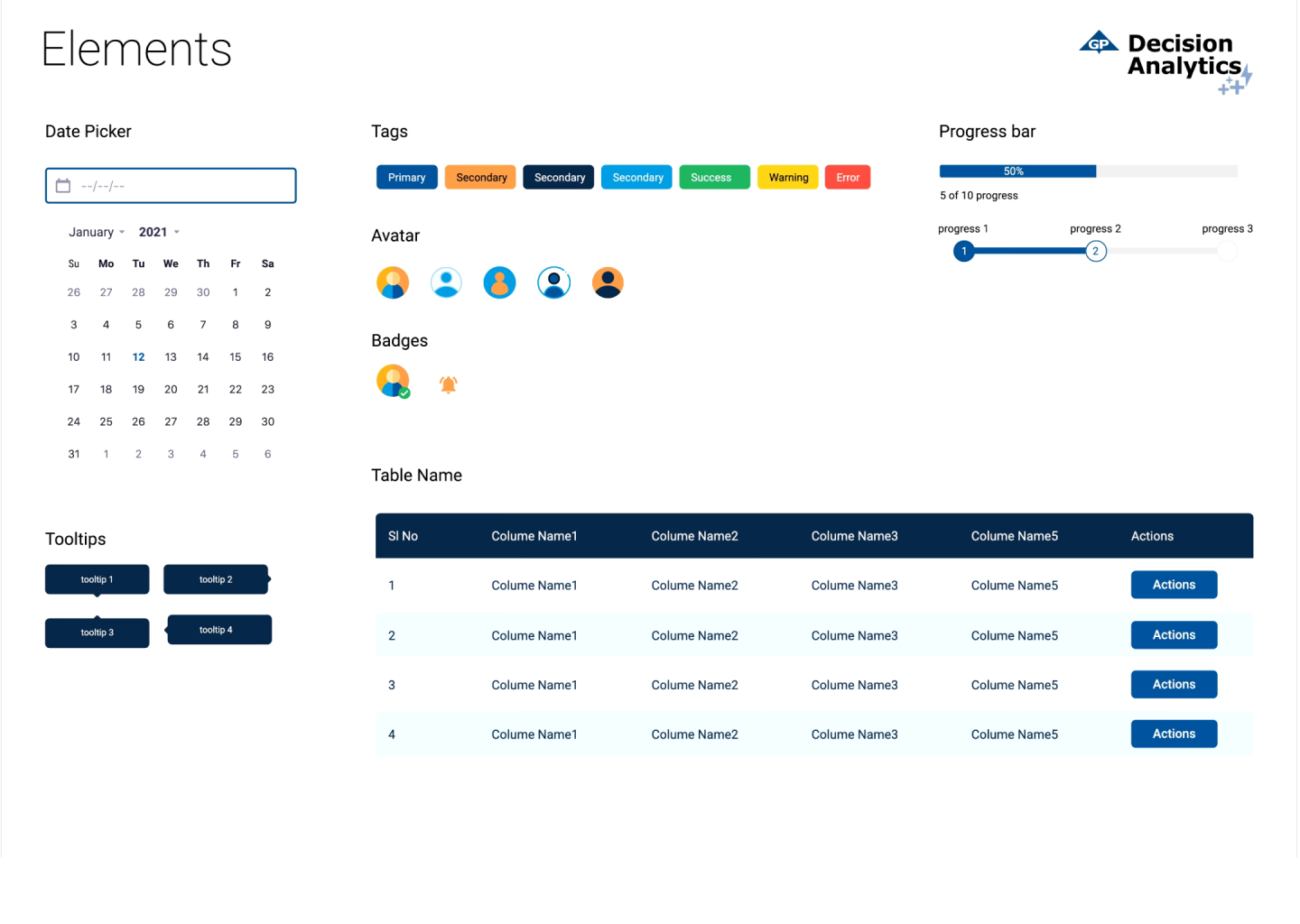
Design system was created using brand colors and typography to ensure consistency, scalability, and faster development.
05 DESIGN
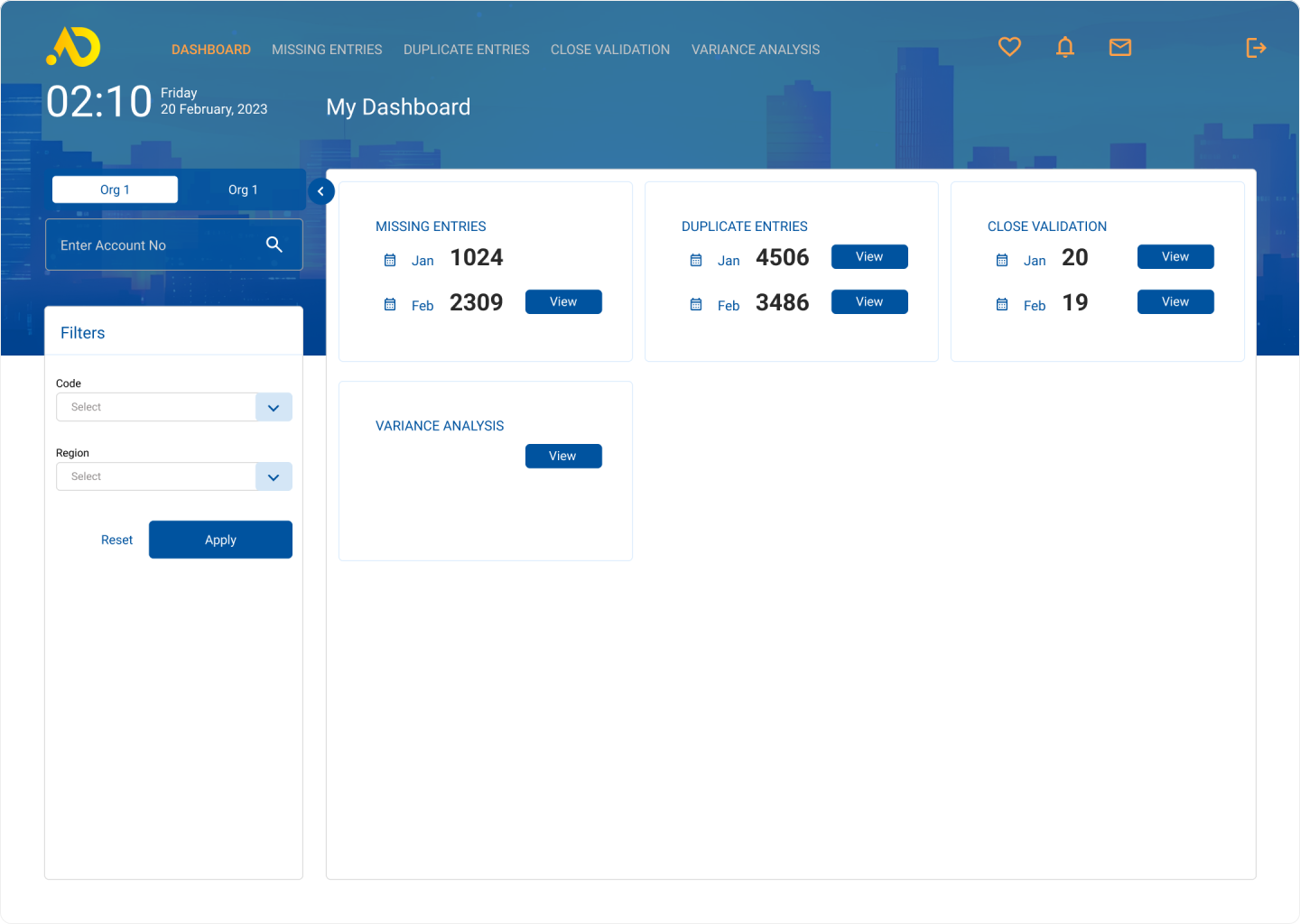
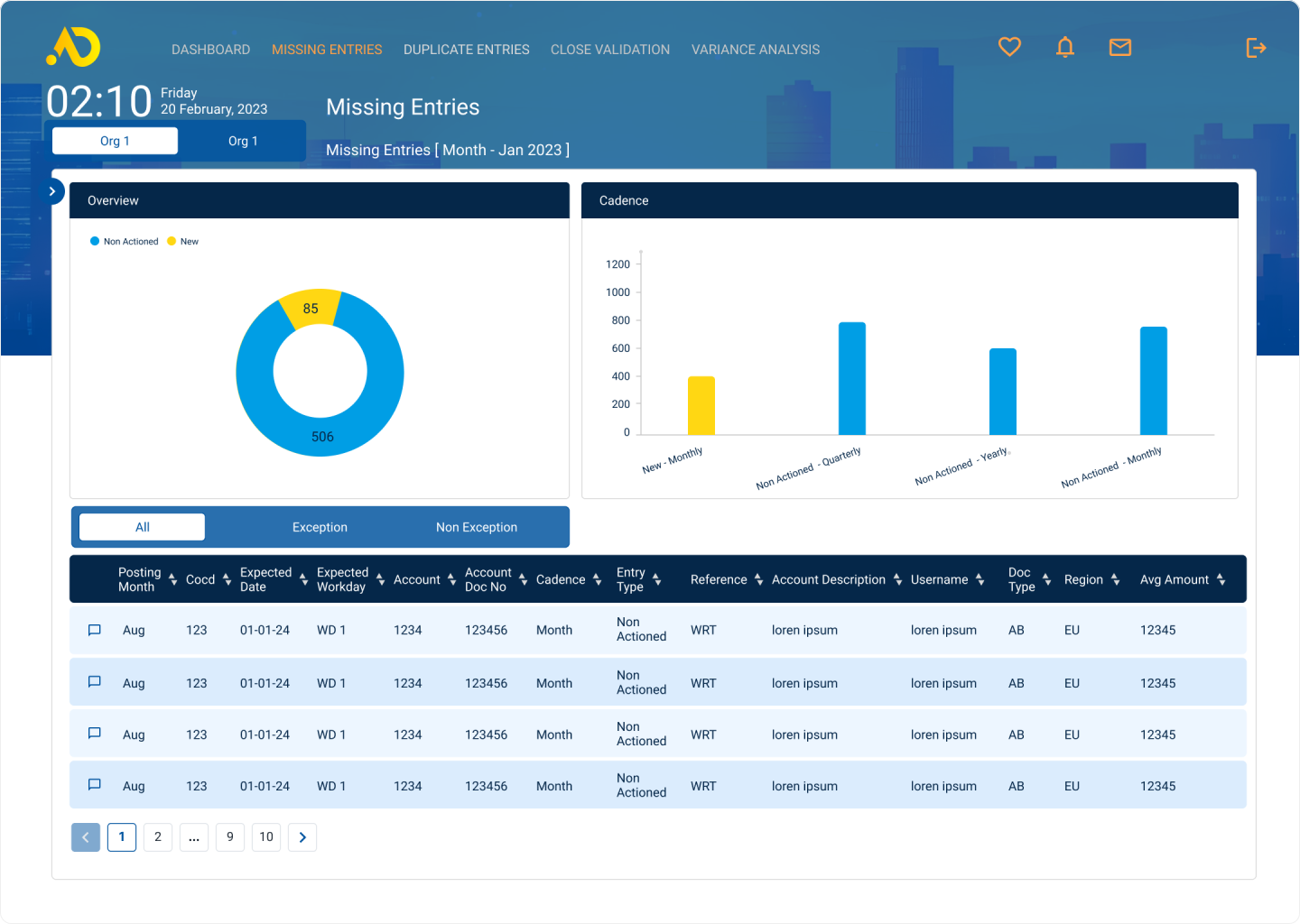
Visual Designs
Delivered the designs with style guide and verification documents to the development and testing team after conducting the usability testing.

06 JOURNEY ENDS
Project Impact
This journey tested my adaptability and strengthened my focus, driving growth in ways I hadn t expected. Here are a few key highlights.
Impact
- Improved ability to detect anomalies faster
- Reduced cognitive overload in interpreting data
- Enabled quicker decision-making for operators
- Improved data visualisation clarity
Lessons Learned
- Data UX ≠ dashboards only
requires context + prioritisation - Visual hierarchy directly impacts decision speed
- Users don't want more data
they want actionable insights - Alerts & thresholds must be carefully designed
(avoid fatigue)